
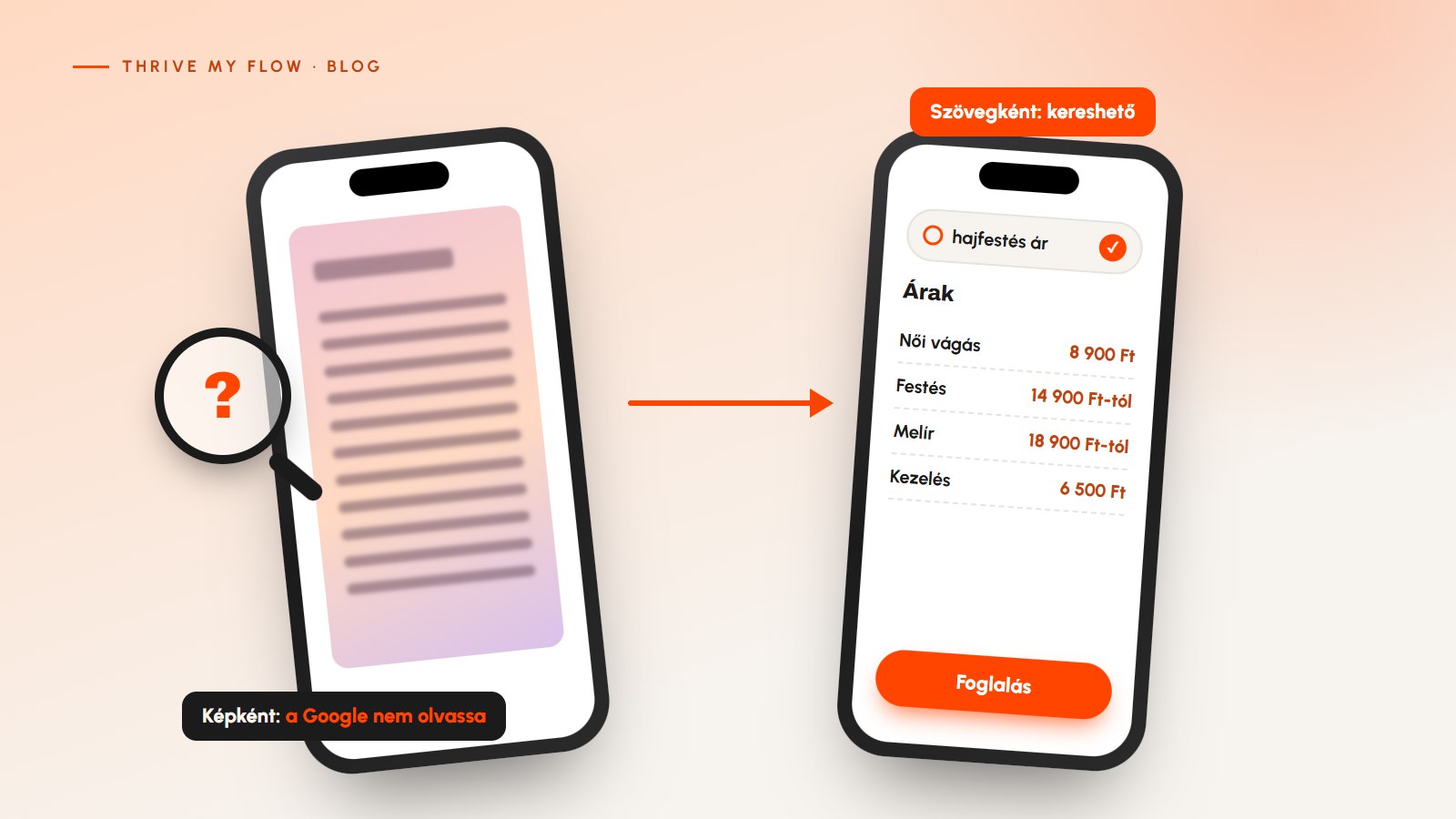
It’s a common setup for hairstylists, estheticians and nail techs: the price list is a nicely designed graphic that looks great on Instagram, and the same image goes up on the website too. It’s convenient, because you only have to make it once. The catch is that a price list as an image on your website costs you more than it brings in.
Is it a problem if my price list is an image on my website?
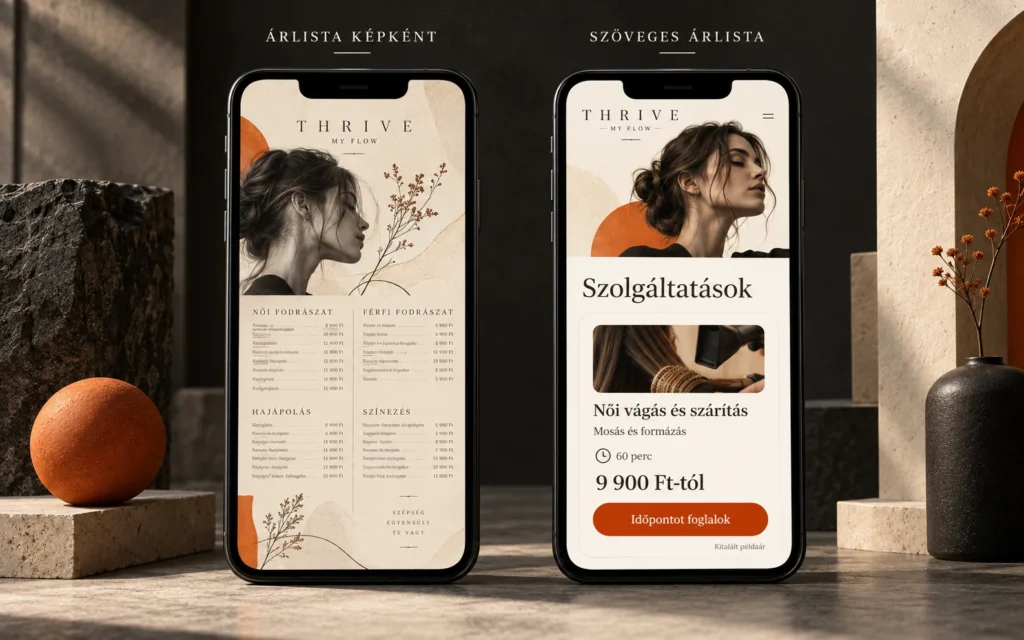
Yes, if the image is the only version and there’s no text alongside it. A price list on your website works for you when it’s text: search engines can reliably read it, it’s readable on a phone without zooming, screen readers can read it aloud, and a price change takes two minutes to update. The Instagram graphic can stay, but on the website it should be an extra at most.
You lose four things: part of your visibility in search, readability on mobile, accessibility, and quick updates. In this article we’ll go through each one, then look at what a good text price list looks like and how to put one together in WordPress in an afternoon.
Search engines rely on text, not images
A text price list is a price list where the service name, price and description are part of the website’s HTML text instead of being baked into an image file. Search engines read it the same way they read the rest of the page.
When someone nearby searches for “hair color price” or “how much is a gel fill,” Google looks for pages that answer that question. According to Google’s own documentation, it understands an image from the text around it and from its alt text. Whether it reads a price written inside the image is not something you can count on. A price in text, you can. And these are the most valuable searches you get: someone looking up prices is already close to deciding.
On a phone, people have to zoom
Most people check out your site on their phone, often on the go. On a price list uploaded as an image, the letters are tiny, people have to pinch and scroll, and nothing on it can be tapped. The text can’t be copied, and screen readers can’t read it out. When someone can’t find what they’re looking for quickly, they don’t struggle with it: they send you a message asking “how much is it?” or they move on.
It’s also an accessibility issue. Success criterion 1.4.5 of WCAG 2.2 (level AA) asks for real text instead of images of text wherever possible, because visitors can enlarge text, change its colors and have it read aloud. There’s no reason a price list has to be an image.

Every change means a new image
When a price changes, you have to make a new graphic and swap it out everywhere. Meanwhile the old image stays in Google Images, on your Facebook page, in someone’s saved posts. It’s easy to end up with three different prices floating around, and clients will believe whichever one suits them best. With a text price list, your website always shows one price: the one you entered last.
Image vs. text price list, side by side
The table shows what visitors and search engines get from each option.
| Aspect | Price list as an image | Text price list |
|---|---|---|
| In search | Uncertain; you can’t count on the price inside the image | Indexable text that can answer price searches |
| On a phone | Needs zooming and scrolling | Readable without zooming |
| Accessibility | Screen readers only get the alt text | Can be read aloud, enlarged and copied |
| Updates | A new graphic for every price change | Change one number in the editor |
| Booking | Nothing on the image can be tapped | The button sits right next to the service |
What to put on the page as text
- The service name, the way your clients would search for it, not an internal abbreviation.
- What it includes, in one short sentence.
- How long it takes, so they know how much time to set aside.
- The price, or if the exact price depends on the situation, a “from” price.
- A booking option right next to it, so someone who has decided doesn’t have to keep looking.
If you offer a lot of services, group them (for example cuts, color, treatments), so visitors can spot the ones that apply to them at a glance.
Example: what one line looks like
A made-up example with a made-up price; only the structure matters:
Women’s cut and blow-dry
Up to shoulder length, with wash and styling. 60 minutes.
From HUF 9,900 · [Book now button]
The bad version: “Cut + dry (S/M/L) 9900.” The client has no idea what the three letters mean, how long it takes, or where to book. You know. They don’t.

How to build your price list in WordPress
You don’t need a plugin for this in the block editor. Here are the steps:
- Write down every service in one document with the five details above. If you can’t give a duration or a “from” price for one of them, your clients won’t be able to guess it either.
- Group them, and give each group an H3 heading (for example “Cuts,” “Color,” “Treatments”).
- Within each group, make each service its own paragraph, not a five-column table. A table looks tidy on a desktop, but on a phone people have to scroll sideways.
- Put the booking link at the end of every line, or at least under every group. If you use a booking system, the link should go straight to that service.
- Add a line under the price list saying when it took effect (“Prices effective October 1, 2026”). For clients it builds trust; for you it’s a reminder.
- Check it on your phone before you publish. If anything needs zooming, the line is too long or too small.
Your price list on Google Business Profile
For local search, your Google Business Profile matters as much as your website. According to Google’s help pages, businesses in certain categories, such as service providers, can list services on their profile with prices and descriptions, organized into categories. If that’s available for your category, use the same names and prices as on your website. Two different prices in two places create exactly the confusion you’re trying to avoid.
Google’s rule is that you shouldn’t put prices or phone numbers in the service name, because it automatically rejects custom services like that. The price goes in the separate price field.
Five mistakes that happen even with a text price list
- You upload it as a PDF. Technically it’s text; in practice it’s the same struggle on mobile, plus a download. Your price list belongs on the page, not in a file.
- “Prices on request.” If every price is on request, you don’t have a price list, just a message button. You need at least a “from” price.
- Every price is a “from” price. If all forty items say “from,” visitors learn nothing. Where the price is fixed, show the fixed price.
- Internal abbreviations. “Ombre M,” “Gel 2” and “S/M/L” only mean something to you. Clients search in their own words.
- Outdated prices. A text price list goes out of date too if nobody updates it. Put it on your calendar: every time a price changes, update the website first, then your Business Profile, then Instagram.
The image can stay, just not on its own
A price list graphic made for Instagram is perfectly fine; that’s the language of the platform. On your website, though, the text price list should come first, and the image should be an extra at most. If you do add the image, give it a descriptive alt text (“Spring price list graphic”), but don’t let it be the only place the prices appear.
That’s why the price list went on the first screen as text in the Tincs hair salon concept: in local search, price is the most common question, and when the page answers it, clients don’t message you, they book. The same logic is behind automated inquiry handling: whatever the page answers, you don’t have to.
What to do today
- Open your own price list on your phone and try to copy the text of one price. If you can’t, it’s an image.
- Search Google for your own service and your city (“gel fill price Budapest”). See whether your site answers or a competitor’s does.
- Write down your three most-booked services with the five details above. If you only put those three up as text today, you’re already ahead.
- Add your price list link to your automatic reply. When someone asks about prices on Messenger or Instagram, the link goes out right away, even while you’re with a client. How to set it up: automatic replies to messages.
Frequently asked questions
Can Google read a price written inside an image?
Don’t count on it. According to Google’s own documentation, it understands an image from the text around it and from its alt text, while the text of your web page it reads for sure. If you want your site to answer searches like “hair color price,” the price needs to be in text.
Isn’t it enough to give the price list image alt text?
No. You can’t meaningfully fit a full price list into alt text, and on a phone visitors still only see an image they have to zoom into. Alt text is there to describe the image. The contents of your price list should go on the page as text, next to the image.
Should my price list be a table or a list?
For phones, a list. A three-column table still fits, but name, description, duration, price and booking in five columns means sideways scrolling on a phone. One service per line under each group heading, with the price and booking link at the end: that works on every screen.
What should I write if the price depends on hair length or condition?
A “from” price, plus one sentence on what it depends on. For example: “From HUF 9,900, more for long or thick hair.” That way clients know the ballpark and don’t need to ask. If almost everyone ends up paying much more than the “from” price, the price is misleading, so change it.
Can the image price list stay on Instagram?
Yes, an image is the natural format there. What matters is that the text version comes first on your website and that both show the same price. When a price changes, update the website first, then the graphic.
Should I add my price list to Google Business Profile too?
If it’s available for your category, it’s worth it. According to Google’s help pages, certain service categories can add prices and descriptions to their services. Use the same names and prices as on your website, and put the price in the separate price field, not in the service name.
How long does it take to turn an image price list into text?
For twenty to thirty services, usually an afternoon, if you have the details at hand. Most of the time doesn’t go into the editor; it goes into making sure every service has a description, a duration and a price. Start with your three most-booked services and fill in the rest gradually.
Curious what Google and your clients see on your site? I’ll take a look and walk you through it in a 10-minute video. It’s free, with no strings attached. Review my website
Sources
- Google Search Central: SEO Starter Guide, sections “Add high-quality images near relevant text” and “Add descriptive alt text.” developers.google.com
- W3C: Understanding WCAG 2.2, 1.4.5 Images of Text (AA). w3.org
- Google Business Profile Help: Manage your services on your Business Profile. support.google.com