Why do service providers need automatic replies to messages?
Automatic replies to messages respond while you’re busy with a client: they confirm you got the message, say when you’ll reply, and share your booking link. There are three layers: an instant reply, online booking, and a reminder. On Messenger and Instagram, you can set them up for free in Meta Business Suite.
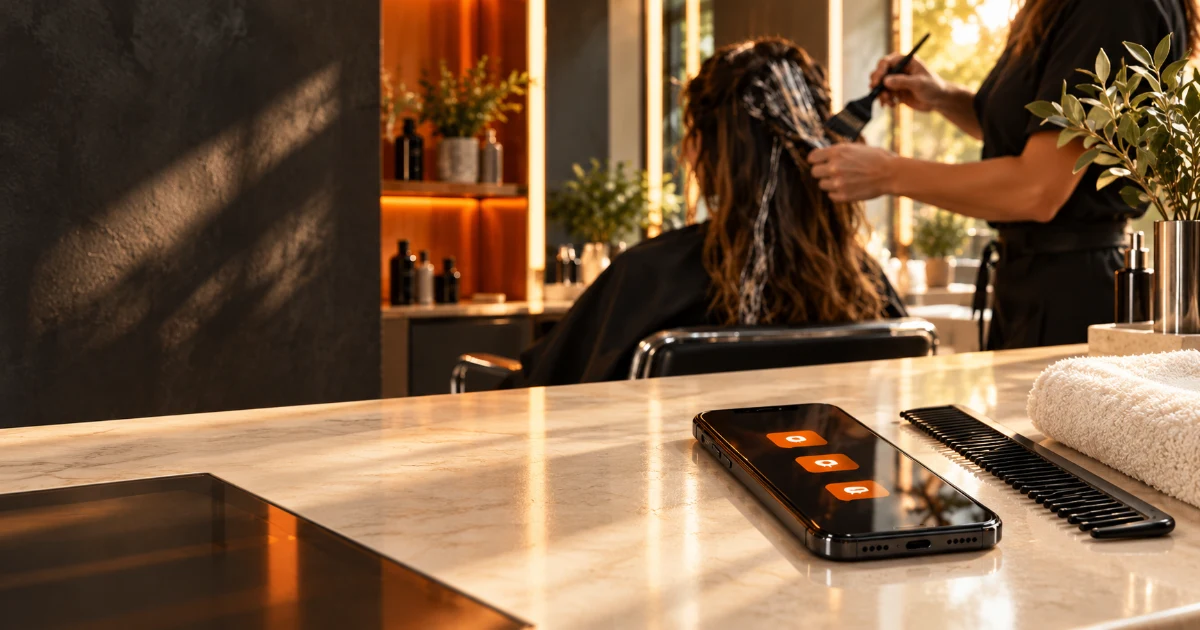
An unanswered message isn’t just rude, it’s lost revenue: whoever writes now wants an appointment now, and they book with whoever answers first. Automatic replies to messages cover that gap while your hands are busy with hair dye, massage oil, or someone’s nails.
Sound familiar? At 9 p.m. you finally sit down, open Messenger, and find four messages from the afternoon. You answer two. One never replies. The other tells you they found a slot somewhere else in the meantime. That provider isn’t better than you. Just faster.
In this article, we’ll look at why this hurts service providers the most, how to calculate what it costs you, and what to set up in a single afternoon so your next client doesn’t walk away.
Why an unanswered message is expensive
The response window is the time during which a prospect still wants to book with you. After that, they aren’t angry. They simply move on to the next result. For a hairdresser, beautician, or massage therapist, that window is short, because the client isn’t looking for you. They’re looking for an appointment.
According to a 2011 Harvard Business Review analysis, companies that responded to an online inquiry within an hour were nearly seven times as likely to have a meaningful conversation as those that responded an hour later. The study looked at US companies, not beauty salons, but the lesson carries over: speed isn’t a bonus, it’s part of the competition.
Service providers have an extra twist. You are the product. When you’re working, you can’t reply. When you’re replying, you’re not working. According to Simply Business’s 2026 survey, 80% of owners of businesses with five or fewer employees handle admin and finances themselves. In other words, you’re also the receptionist. A receptionist who doesn’t pick up the phone for six hours a day.
Check it today: open Messenger and your Instagram DMs and count how many inquiries you answered more than three hours late last week. That number is your starting point.
Do the math: what late replies cost you
A lost client never shows up in your books, so nobody counts it. The math is simple:
Inquiries answered late per week × share that would have booked × price per appointment × working weeks per year
An example with made-up but realistic numbers, not measured data: you answer 3 inquiries a week too late, 1 of them would have booked, and an appointment costs HUF 15,000 (approx. €41). With 47 working weeks, that’s about HUF 705,000 (approx. €1,935) a year. And that’s only the first visit. The value of a returning client isn’t included.
Plug in your own numbers. If the result is higher than a year of booking software, the decision is made. Automatic replies to messages on Messenger and Instagram are free on top of that.
Where your inquiries leak away
Your clients don’t all write on one channel. The table shows where most prospects get lost and what the quick fix is.
| Channel | What happens while you work | Quick fix |
|---|---|---|
| Phone | It rings, you don’t pick up, the caller likely tries the next number | A voicemail greeting that tells them where to book right away |
| Messenger, Instagram | The message sits unread for hours | An instant reply and an away message in Meta Business Suite |
| Website form | The email arrives, but you see it in the evening | An automatic confirmation email (see below) |
| Google Business Profile | The client wants to book, but there’s no booking button | A booking link on your profile |
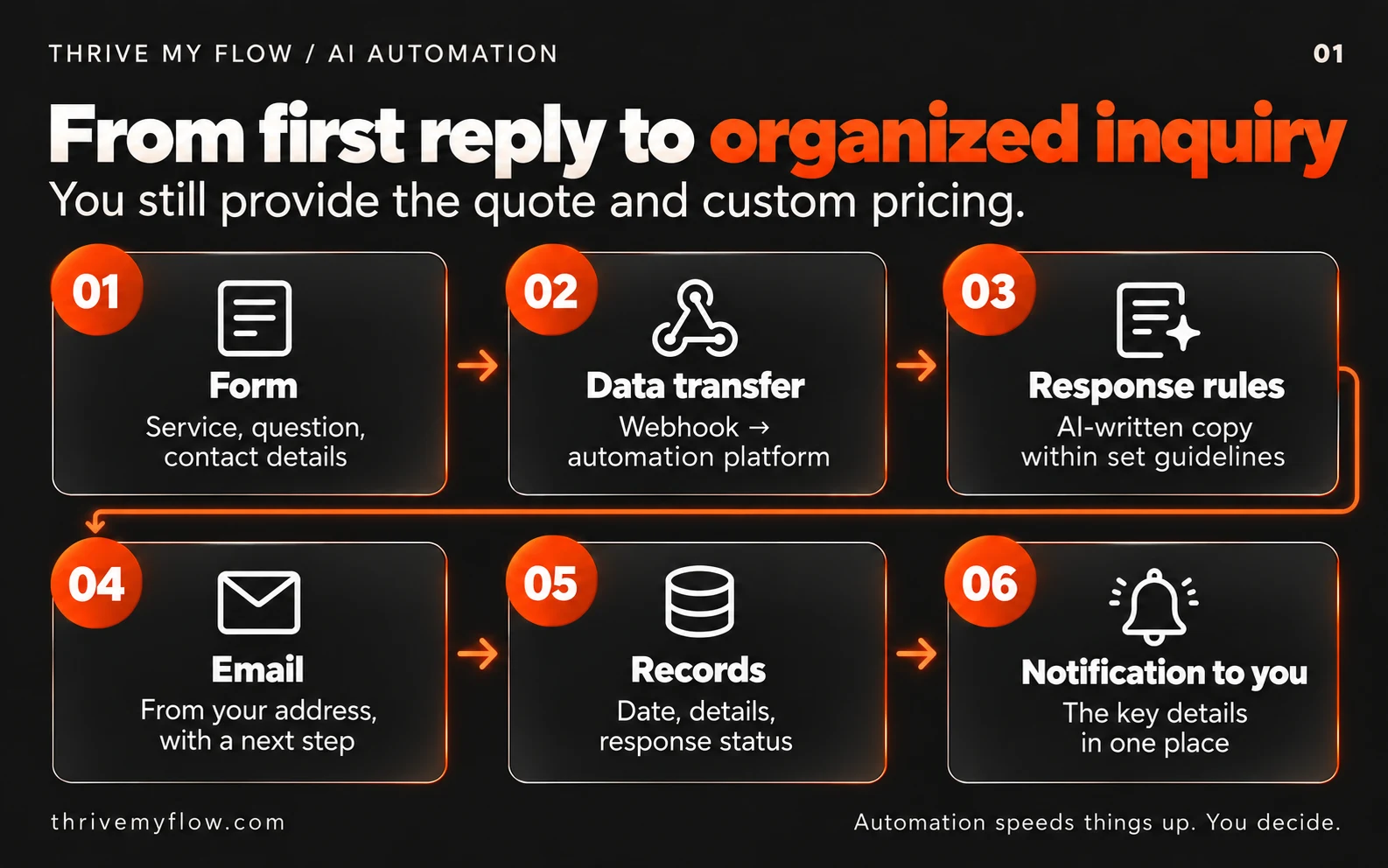
Form inquiries have their own article: automated inquiry handling: how it works and who it’s worth it for. Here, we focus on the faster, conversational channels.
The three layers of automatic replies to messages
An automatic reply is a pre-written message the system sends on its own when someone writes to you. On its own, it’s not enough. It brings in bookings when three layers work together:
- Instant reply: confirms you got the message and says when you’ll answer personally.
- Booking link: anyone who just wants an appointment doesn’t have to wait for you. They pick a free slot themselves in an online booking system.
- Reminder and follow-up: an automatic reminder goes out before the appointment, so no-shows become rarer.
If you only have the first layer, you’ve sent a polite “I’ll get back to you soon” and you’re right where you started. The booking link is what turns waiting into a booking.
How to set up automatic replies to messages in one afternoon
This is the minimum a solo service provider can do without a developer. Menu names may differ depending on your interface language and version.
- Create your booking page. Calendly’s free plan includes one event type and one calendar connection. Set the length of your service, a buffer between clients, and your working hours.
- Connect your calendar. In Calendly: Availability, Calendar settings, then Connect next to Google Calendar. Calendly won’t offer slots during busy events on the calendars you select, so you won’t get double bookings.
- Set up an instant reply for Messenger and Instagram. Meta Business Suite, Inbox, Automations, Create automation, Instant reply. Your Instagram account must be a professional account connected to Meta Business Suite. In the mobile app, turn on Instagram under Platforms too.
- Set up an away message as well. The instant reply only goes out to the first message of a new conversation, so a regular client who has messaged you before won’t get it. In the same place, the Away message replies to everyone during the hours you schedule. Schedule it for the hours you’re with clients.
- Rerecord your voicemail greeting. Say that you’re with a client and that they can book right away via the link on your Instagram profile or website. How you record it depends on your mobile carrier: check your voicemail menu or ask customer service.
- Put the link everywhere. Instagram bio, Facebook Page, your website header, and Google Business Profile. On your Business Profile: business.google.com, Edit profile, Booking, Add link. Same link, everywhere.
- Decide how reminders will go out. Calendly’s free plan sends a confirmation email, but automatic reminder and follow-up workflows require a paid plan. Send the reminder one day before the appointment.
- Test it on yourself. Message yourself from another account on both Messenger and Instagram, call yourself, and book an appointment. Check whether the link in the automatic reply is clickable. If it feels clunky to you, it feels clunky to your clients.
Don’t see the Automations menu in Meta Business Suite? Meta doesn’t offer every automation in every region or for every account type. Check that your Instagram account is a professional account and that the right business portfolio is selected in the top left.
A bad and a good automatic reply: example
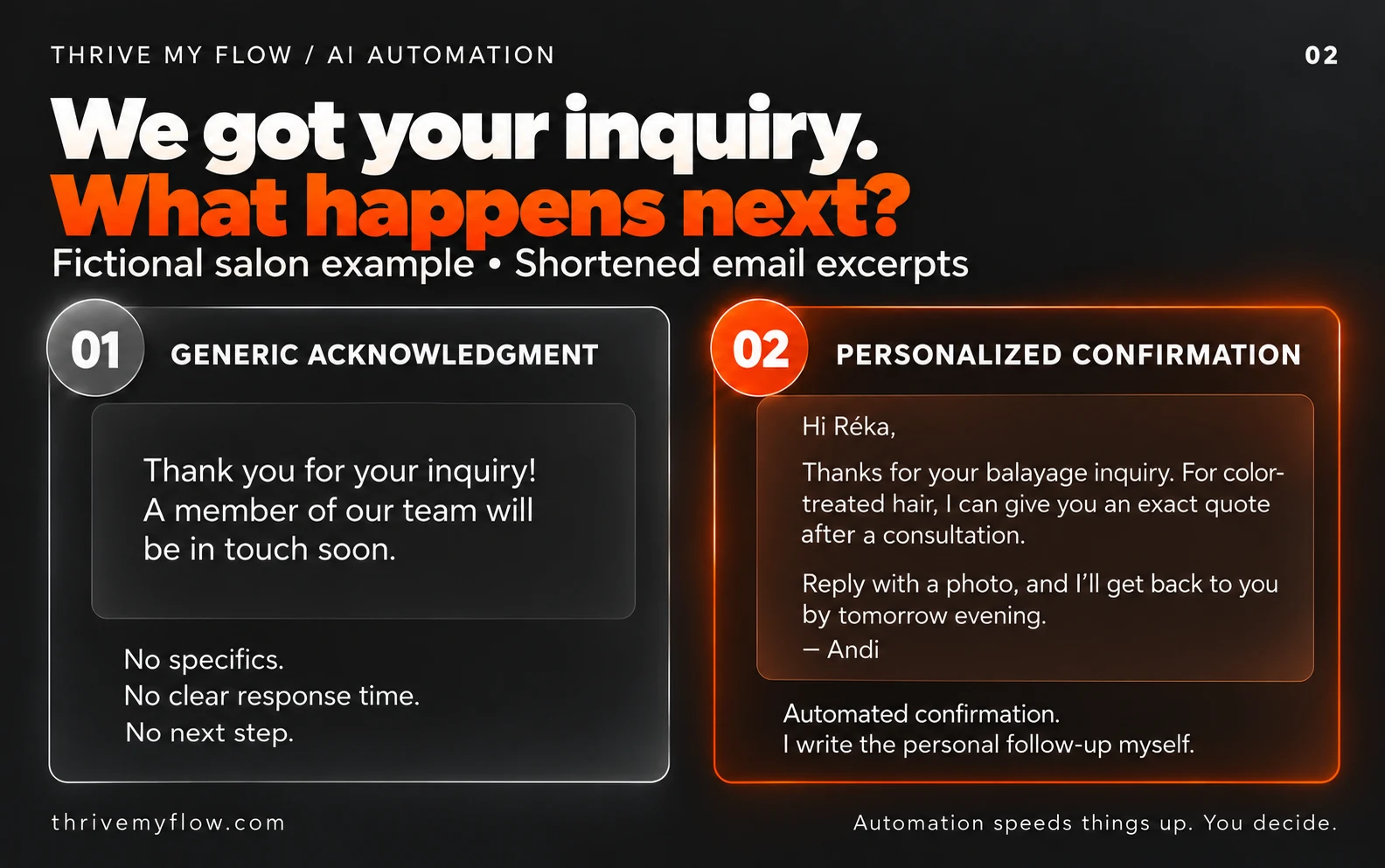
The difference isn’t about being nice. It’s about whether there’s a next step. Both examples are made up.
Bad: “Thank you for your message! A team member will be in touch shortly.”
There’s no team, no time, no link. The client is still waiting, only now they know it.
Good: “Hi, thanks for your message! I’m with a client right now and will reply after 6 p.m. If you’d like an appointment, you can see my open slots and book right away here: [link]. If you have a specific question (like a patch test before hair coloring), just write it here and I’ll answer personally.”
It has four elements: your voice, a specific time you’ll reply, the booking link, and what they can expect a personal answer on. Nobody reads anything longer than that on a phone.
What not to automate
Automation handles the queue, not the relationship. Keep these in your own hands:
- Complaints. A template reply to a complaint is fuel on the fire.
- Health-related questions. Allergies, pregnancy, skin conditions, injuries before a massage. You answer these, not a script.
- Custom quotes. Your automatic reply shouldn’t quote a price for something you need to see first, like a color correction.
- AI chatbots without disclosure. If it’s not a pre-written message but AI chatting with your client, Article 50 of the EU AI Act requires you to tell them they’re talking to a machine. This transparency obligation has applied since August 2, 2026.
The honest limit: if most of your clients are regulars who book their next appointment while still in your chair, this setup will do less for you. It makes the difference with new clients.
A note on data protection: a booking system handles personal data (name, phone number, email). Your privacy policy should say which system you use and for what. This isn’t legal advice, so check the exact wording with a lawyer.
Calendly or a local booking system
Calendly is quick to set up and reliable, but know this: according to its own help center, booking pages and notifications are available in English plus seven languages (French, Spanish, German, Dutch, Brazilian Portuguese, Italian, and Ukrainian). If your clients speak another language, the text you write will be in their language, but the buttons and confirmation emails won’t.
That makes the decision simple. For coaches, accountants, and photographers whose clients book a consultation and are fine with English buttons, Calendly is a good starting point. For salons with a mixed-age clientele who need text reminders in the local language, local booking software usually causes less friction. In Hungary, examples include Salonic, BookinGO, and idopontok.hu. A detailed comparison is coming in a separate article on no-shows.
FAQ
Isn’t an automatic reply impersonal for a service provider?
Not if it sounds like you and says when you’ll reply personally. What’s impersonal is six hours of silence. Write it the way you’d say it in person, use the same tone you use with clients, and include a specific time.
How do I set up automatic replies on Messenger and Instagram?
In Meta Business Suite: Inbox, Automations, Create automation, then Instant reply and Away message. Your Instagram account must be a professional account connected to Business Suite. The instant reply only goes to new conversations, so set up the away message too. Then send yourself a test message from another account.
Why doesn’t everyone get the instant reply?
Because the instant reply responds to the first message of a new conversation. If someone has messaged you before, it won’t appear in that existing thread. That’s what the away message is for: schedule it for the hours you’re with clients, and everyone gets a reply.
Which languages does Calendly support?
According to Calendly’s help center, booking pages and notifications are available in English plus French, Spanish, German, Dutch, Brazilian Portuguese, Italian, and Ukrainian. You can write the event name, description, and questions in any language, but the buttons and system messages will be in one of these. If that’s a barrier for your clients, choose a local booking system.
Will my phone send an automatic text if I miss a call?
Usually not by default. You’d need a separate app or service for that. The simplest free option is a voicemail greeting that tells callers where they can book right away. If you miss a lot of calls, a paid solution is worth looking into.
Is Calendly free?
It has a free plan with one event type and one calendar connection, which is enough for a single service. For multiple services, online payments, and automatic reminders, you need a paid plan. Check current pricing on Calendly’s own pricing page, since it can change.
How quickly should I reply to a client’s message?
As soon as possible, because the client is asking others in the meantime. A 2011 Harvard Business Review analysis found that responding within an hour multiplied the chance of a meaningful conversation. Working solo, you can only keep that pace with an automatic reply, so set a fixed time of day for personal replies.
Do I have to tell clients they’re getting an automatic message?
For a pre-written automatic reply, it isn’t required, but it’s worth making clear, for example: “I’m with a client and will reply after 6 p.m.” If an AI chatbot talks to your clients, the EU AI Act requires you to tell them they’re talking to a machine. This isn’t legal advice.
Next step
Not sure where your inquiries get lost? Send me your website or Instagram profile, and in a 10-minute video I’ll show you where clients drop off before booking and what I’d set up first. Get your free review.
Sources
- Oldroyd, McElheran, Elkington: The Short Life of Online Sales Leads, Harvard Business Review, 2011. hbr.org
- Simply Business: 2026 Small Business Growth Gap Report, 2026. simplybusiness.com
- Calendly Help Center: How to change your event type language. help.calendly.com
- Calendly Help Center: How to connect your Google Calendar. help.calendly.com
- Calendly free plan: zeeg.me overview, updated September 2026. zeeg.me
- Google Business Profile Help: manage booking links. support.google.com
- Meta Business Suite automations: Kanal summary of Meta’s help pages, October 2026. getkanal.com
- EU Artificial Intelligence Act, Regulation (EU) 2024/1689, Article 50. eur-lex.europa.eu
- Exchange rate: Magyar Nemzeti Bank, September 25, 2026 (HUF 364.42 per euro).