
What does AI web design mean for a small business?
AI web design means the web designer uses artificial intelligence for the slow, repetitive steps: drafts, copy variations, code snippets, checks. It works for you if a person makes every decision your clients will see: the copy, the images, the prices, the booking flow. If the machine makes the decisions, you get a template site that could belong to anyone.
AI web design is good for your small business when the machine works for the web designer, not instead of them. When it’s the other way around, you get a site that only your logo sets apart from the salon next door.
This article isn’t about generating a site yourself with an AI website builder. Here we’ll look at what AI does in a web designer’s work, where a person is needed, and what to ask before you hire someone who works with AI. It’s for hairstylists, estheticians, coaches, photographers, accountants: anyone whose own expertise is the product.
What is AI web design, and how is it different from a generator?
AI web design is a way of working where the web designer uses artificial intelligence for certain steps of designing and building, but makes the decisions themselves. An AI website generator, on the other hand, puts a site together on its own from a few questions, and the template makes most of the decisions for you.
The difference isn’t the technology. The same language model can be behind both. The difference is whether there’s someone who says: this isn’t right, let’s rewrite it.
A practical test: ask the web designer what the AI did and what they did. If they can’t answer specifically, you’re not getting AI web design; you’re getting a generator, at a higher price.
What does AI speed up in a web designer’s work?
It’s useful where there’s a lot of mechanical work and mistakes are easy to spot. In my work, these are the steps:
- Organizing: the client’s notes, questionnaire answers and their clients’ most common questions become a clear list.
- Sitemap and section outline: a first version of which subpages are needed and in what order the blocks go. A person then tightens it up.
- A first round of copy: several versions of a headline or button text based on your facts, so there’s something to choose from.
- Code snippets: a CSS fix, the logic of a form, the skeleton of structured data (JSON-LD).
- Repetitive checks: drafts of alt text and meta descriptions, typos, missing headings.
None of these is a finished product. They’re all raw material that someone has to read before it reaches your clients.
If you’re having AI write copy for your own site today, give it facts: prices, opening hours, three questions your clients actually ask. Without facts, the machine fills the space. With generalities.
Where does AI web design go wrong when nobody’s checking?
AI slop is content that was made quickly, by machine, and has nothing in it that’s only true of you. It isn’t necessarily wrong. It’s just empty, and readers can tell. It shows up most often in five places.
1. Template copy
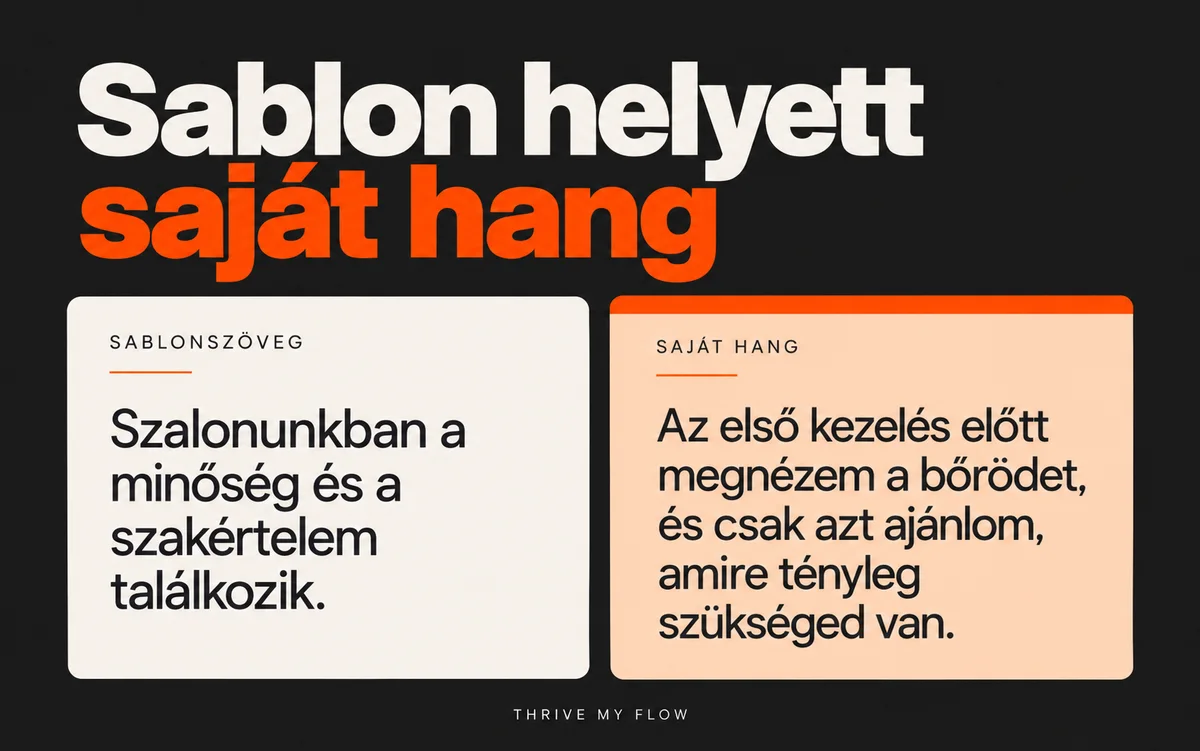
“At our salon, quality meets expertise.” Any beauty salon could put that sentence on its site, and that’s exactly why the machine writes it: it’s the most likely continuation. Your own sentence is specific, for example: “Before your first treatment, I look at your skin and only recommend what you actually need.” A sentence like that isn’t invented by the machine; you say it, and the web designer shapes it.
2. Made-up facts
According to Google’s guidance for site owners, generative models predict the likely order of words rather than looking up facts, so their output can contain made-up claims. The guidance says to check the text before publishing, and the same goes for the title, the meta description, the structured data and image alt text (Google Search Central, 2026). In small-business terms: if the machine writes “free parking” or “15 years of experience” and it isn’t true, it’s your client who will hold you to it, not the machine.
3. Images that aren’t you
A generated, perfect salon interior looks great on screen. Then the client walks through the door and sees something completely different. Your service, your place and you yourself: these need real photos. That’s why my clients’ sites get real images.
4. Pretty but unreadable colors
A generated color palette looks good in a screenshot, but it doesn’t guarantee contrast. WCAG 2 level AA requires a contrast ratio of at least 4.5:1 for normal-size text (WebAIM). Light gray text on a cream background isn’t understated elegance; it’s text nobody reads. Check it with the WebAIM Contrast Checker: enter the two color codes and you get the ratio.
5. Unclear ownership
According to the U.S. Copyright Office’s January 2025 report, output generated from a prompt alone isn’t protected by copyright, but human selection, arrangement and modification are. That’s the US position; for other countries, including Hungary, a lawyer can advise on a specific case, and this article isn’t legal advice. The practical takeaway is still simple: the more human decisions there are in your site, the more of it is yours. And the contract should spell out what you get at handover.
What stays the human’s job?
Everything that’s a decision. This is what you’re paying for when you hire a web designer, whether they use AI or not:
- Deciding who the site is for and what its one main goal is: a booking, a quote request or a call.
- Finding your voice: how you actually talk to your clients, and carrying that over into the copy.
- Checking the facts: prices, opening hours, address, legal pages. You’re responsible for these, not the tool.
- Choosing the images, and saying so when an image isn’t you.
- Going through the booking flow on a phone as if you were a client.
- Finally, reviewing everything that goes live: copy, contrast, metadata, alt text.
Here’s how I work: I build Thrive My Flow sites with WordPress, and I use Claude and GPT as working tools for drafts, code and checks. I build every site from the ground up; I don’t recolor an existing one. AI is useful to me because it lets me work faster and more precisely, not because it lets me think less. Whatever goes live, I’ve read it first and decided it stays.
7 questions to ask before you choose a web designer who uses AI
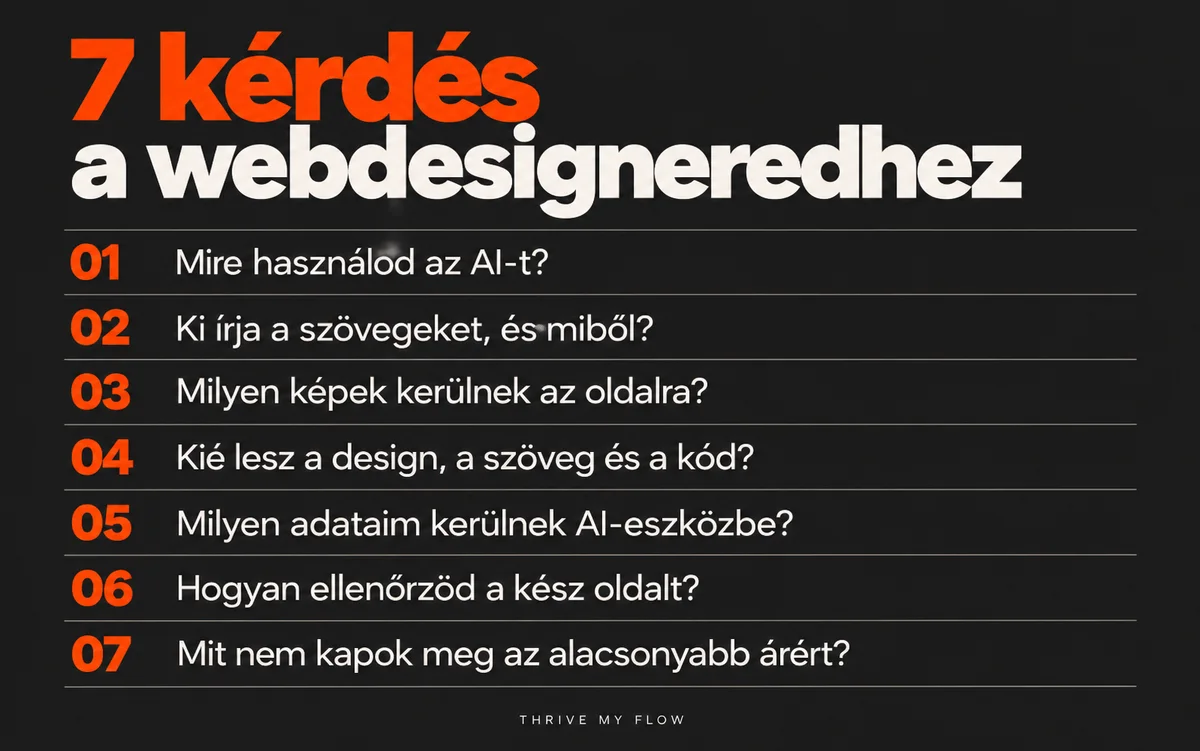
Ask these at your first meeting. Within five minutes, the answers will show you whether the other person is using the tool or the tool is using them.
- “Which steps do you use AI for, and which don’t you?” Good answer: specific steps, such as drafts, code, checks. Bad answer: “Everything, it’s faster that way.”
- “Who writes the copy, and based on what?” Good answer: based on your facts, after an interview or questionnaire, and you get to review it before it goes live.
- “What images will go on the site?” Good answer: real photos of you and your place. If you don’t have any yet, they tell you where they’ll come from: a photographer, a well-lit series shot on a phone, or a licensed stock library.
- “Who owns the design, the copy and the code after handover?” Good answer: it’s written into the contract.
- “What of my data do you upload into AI tools?” Good answer: no client names, phone numbers or client lists. If they do, they tell you which tool and why.
- “How do you check the finished site?” Good answer: contrast, mobile view, booking flow, title, meta description, alt text, naming specific tools.
- “If you’re cheaper because of AI, what am I not getting?” Good answer: an honest list. Bad answer: “Nothing.”
If the answer to all seven is “don’t worry, the AI takes care of it,” then you also know what you’re not getting: someone who’s accountable.
AI website builder or a web designer who uses AI?
The table shows who decides and who is responsible at each point. I deliberately left prices out, because they vary by provider and package.
| Aspect | AI website generator | Web designer who uses AI |
|---|---|---|
| Who decides the structure? | The template, with a little room for you | The web designer, in agreement with you |
| Where do the facts come from? | What you type in, plus what the machine adds | From an interview, a questionnaire, from you |
| Images | Generated or stock | Real photos if there are any; if not, a plan for them |
| Who checks before launch? | You, if you make the time | The web designer, then you |
| Who is it for? | People who will make time to review it themselves and need only a simple site | People who want a custom site and someone accountable for it |
When isn’t it worth hiring a web designer who uses AI?
- If you don’t know yet what you’re selling and to whom. Neither a machine nor a web designer can decide that for you. Sort that out first, or you’ll get an expensive site for an unclear offer.
- If all you need is a one-page business card site with your phone number, and there’s no budget for it right now. A generator plus a thorough review of your own is enough in that case.
- If you’re building an online store with hundreds of products. That’s a different field; look for a developer who specializes in e-commerce.
- If the web designer can’t give a specific answer to any of the seven questions above. Then AI isn’t the problem.
Frequently asked questions about AI web design
What’s the difference between AI web design and an AI website builder?
In AI web design, the web designer uses AI as a working tool and decides on the copy, the structure and the images. An AI website builder puts together a site from a template based on a few questions. The first gives you a custom site and someone accountable; the second gives you a quick draft. Ask the web designer which steps they use AI for: the answer will tell you which one you’re getting.
Is a website made with AI cheaper?
It can be cheaper if AI speeds up the repetitive work, but the price depends on how much human work is left in it. If someone promises a custom site with AI at a strikingly low price, ask what gets left out: copywriting based on your facts, your own photos, mobile testing or a pre-launch check. Whatever step gets skipped, you’ll end up making up for later.
Does Google penalize website copy written with AI?
Google’s guidance doesn’t penalize how content is produced; it targets low-value volume: lots of machine-made pages that add no value can violate the scaled content abuse policy. The guidance also asks you to check generated text, titles, meta descriptions and alt text before publishing. For a service business site with a handful of pages, the real risk is an inaccurate claim.
Who owns the copyright if my website’s design was made with AI?
For parts generated purely by machine, it’s uncertain. According to the U.S. Copyright Office’s 2025 report, output made from a prompt alone isn’t protected, but human selection, arrangement and modification are. For how it works where you are, ask a lawyer; this isn’t legal advice. What you can definitely do: make sure the contract spells out what’s yours after handover.
Can I use AI-generated images on my business website?
As backgrounds or decorative illustrations, yes. But your service, your place and you need real photos, because clients expect what they saw in the picture. If you don’t have good photos right now, a well-lit series of your own place shot on a phone is worth more than a perfect interior that doesn’t exist.
Does a small business website have to be accessible?
The European Accessibility Act has applied since June 28, 2025, but under Article 4(5), microenterprises providing services are exempt from its requirements. This isn’t legal advice; check your own situation with a lawyer. You still need contrast either way: WCAG level AA requires a ratio of at least 4.5:1 for normal text, and people leave an unreadable site regardless of any exemption.
Can I build my website myself with AI?
A draft, yes, and it’s a good starting point. A finished site, if you make time to review it: facts, contrast, booking flow on a phone, metadata. The six-point list in the “What stays the human’s job?” section is a good place to start. If you don’t have time for that, a web designer who uses AI takes exactly that time off your hands.
Next step
If you already have a site and can’t tell how much of it is template and how much is you, send it over. In a free 10-minute video review, I’ll show you where the machine is talking instead of you and what I’d fix first. I review 3 sites a week.
Sources
- Google Search Central: Using generative AI content on your website (updated October 1, 2026): developers.google.com
- U.S. Copyright Office: Copyright and Artificial Intelligence, Part 2: Copyrightability (January 29, 2025), summary: Copyright Alliance
- WebAIM: Contrast and Color Accessibility: webaim.org
- Directive (EU) 2019/882 (European Accessibility Act), Article 4: legislation.gov.uk; date of application: BCLP (2025)