What does a service business website need to do in 2027?
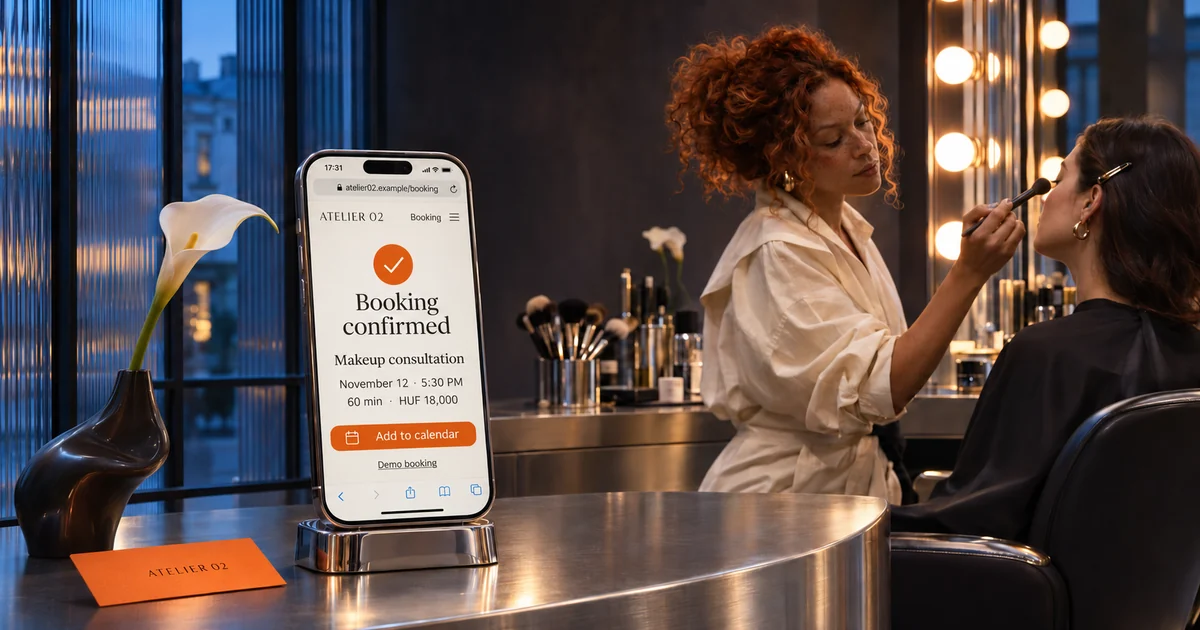
A service business website works in 2027 when it answers and books for you: it says within five seconds what you do, where, and for whom, shows prices as text, offers one-click booking or a quote request, loads fast on mobile, and matches your Google Business Profile. Decoration comes after that.
A service business website isn’t there to look pretty, it’s there to bring in bookings. If a visitor looks at it, likes it, and then messages you on Messenger to ask what it costs and when you’re free, your site is an expensive business card.
Most small businesses already have a site. In Hungary, for example, 63.5% of small businesses had a website according to 2024 data from the national statistics office (KSH). So the question is no longer whether you have one, it’s whether it works. In this article, we’ll go through the eight functions that are standard for a service provider’s site in 2027, and what you can safely skip.
Your website as a front desk
A front-desk website is a service business website that answers a client’s first questions and guides them to a booking, even while you’re working. A business-card website, by contrast, only introduces you: a logo, an about text, and a contact form, but every real question still lands on you.
Search has changed too. According to SparkToro data, 68% of US Google searches ended without a click in early 2026. Fewer people click through, but those who do arrive with a specific intent: they’re looking for a price, a time slot, directions. They don’t need a mood board, they need an answer.
Service business website: the 8 functions that are standard in 2027
- A five-second answer. The first screen says what you do, in which city, for whom. “Therapeutic massage in [city] for desk-job back and neck pain” says more than “Wellness. Harmony. You.”
- Prices as text. If the price isn’t there, the client either asks or moves on. If it’s only in an image, Google and AI search may not read it.
- One-click booking or quote request. The same main button on every page, leading to the same place. A booking system for fixed-length services, a short quote form for custom work.
- Fast on mobile. Google’s Core Web Vitals guidance says the main content should appear within 2.5 seconds. A single 4 MB background photo can ruin that on its own.
- An FAQ with real questions. The ones you get daily: parking, preparation, how long it takes, what happens if you’re late. It saves the client time and you messages.
- Trust you can verify. Real photos of your space and your work, your face, real reviews. Publishing fake reviews is explicitly an unfair commercial practice across the EU since 2022.
- The same data everywhere. Name, address, phone, and opening hours should match on your website, Google Business Profile, and social profiles. Add your booking link to your Business Profile too.
- Required legal details. In the EU, the E-Commerce Directive requires a website to show the provider’s name, address, contact details, registration number, and VAT number where applicable. Add a privacy policy and cookie consent on top.
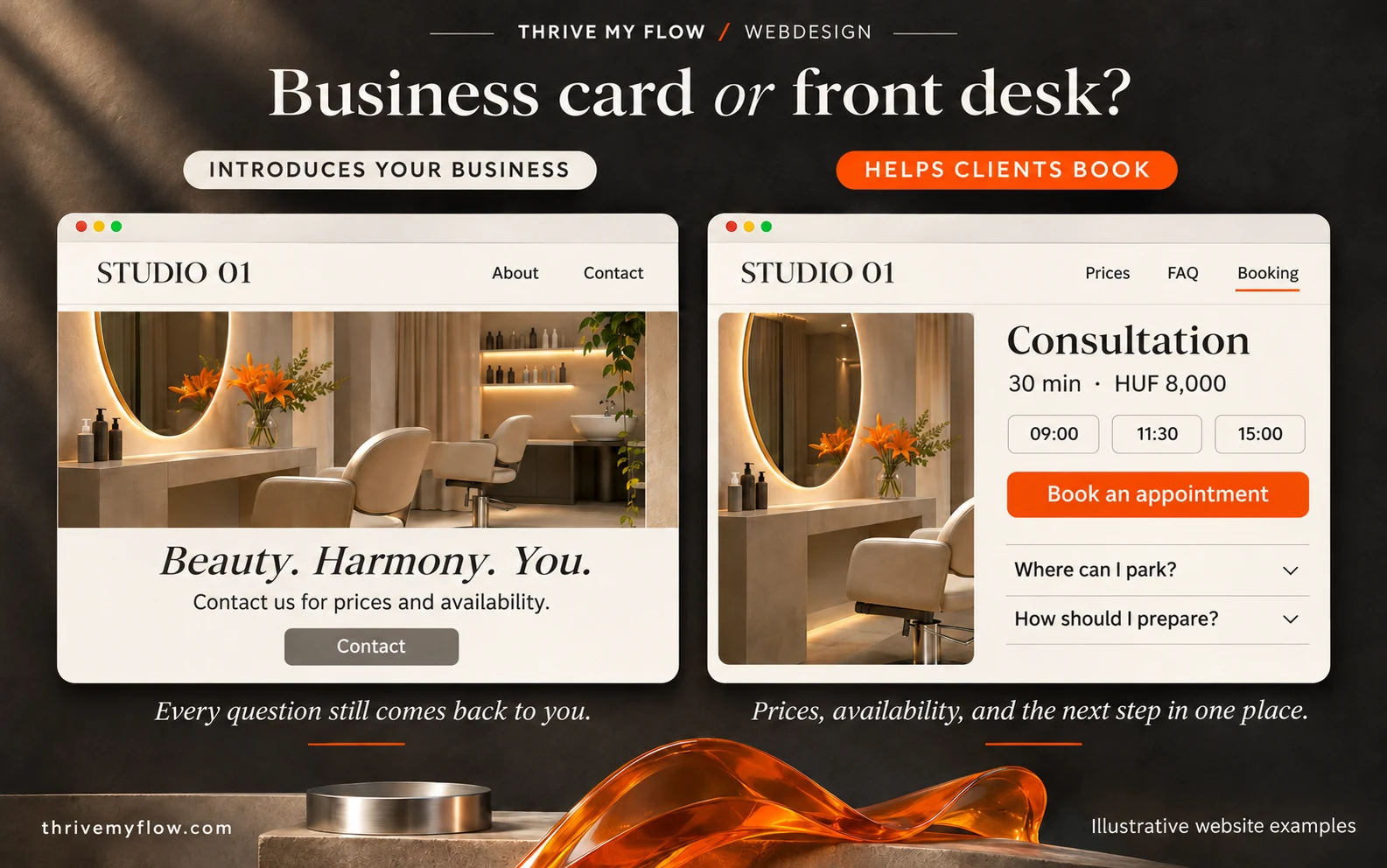
Business card or front desk: the difference in one table
The table follows the same client who opens your site at 10 p.m.
| The client’s question | Business-card site | Front-desk site |
|---|---|---|
| How much does it cost? | “Contact us for prices” | Price list as text, with duration |
| When are you free? | Contact form | Open slots, instant booking |
| Where do I park? | Just the address | FAQ, map, directions |
| Can I trust you? | Stock photos, generic text | Your own photos, real reviews |
| What’s the next step? | Unclear | One main button on every page |
Check your own site in 10 minutes
Open your site on your phone, on mobile data, not wifi. Answer yes or no:
- Can you tell what you do and where without scrolling?
- Can you find prices within two taps, and can you select the text?
- Is there one clear booking or quote button?
- Does the homepage load within three seconds?
- Is there an FAQ with at least five real questions?
- Do your address, phone, and hours match your Google Business Profile?
- Can you find your business details, privacy policy, and cookie settings at the bottom?
Every “no” is a place where a client gets stuck. Start with what’s closest to the booking: price, button, speed.
What you can safely skip
- A homepage slider. Five images, of which the client sees the first. The rest just slow the page down.
- A long “About me” on the homepage. One sentence and a good portrait build enough trust. Your story can go on its own page.
- Newsletter sign-ups everywhere. If you don’t send a regular newsletter, don’t ask for email addresses.
- Ten menu items. Five is enough for a service provider: services, prices, about, FAQ, booking.
A word on accessibility: the European Accessibility Act has applied since June 2025, but microenterprises providing services are exempt. Even so, readable font sizes, good contrast, and a form that works with a keyboard are better for all your clients.
FAQ
Is a Facebook page enough instead of a website?
It can be enough to start, but Facebook isn’t yours: someone else decides the rules, the reach, and the layout, and search engines can only read it to a limited extent. A simple site of your own with prices, booking, and an FAQ does far more work for you.
Should I put prices on my website?
For a service provider, strongly recommended. Without a price, the client either asks or moves on, and both cost you time or revenue. If the price varies, write a “from” price and what it depends on.
How fast does a website need to be?
Google’s Core Web Vitals guidance says the main content should appear within 2.5 seconds. You can measure it for free on PageSpeed Insights by entering your site’s address. Check mobile, since most of your clients come from there.
What does a small business website legally need?
In the EU, the E-Commerce Directive requires the provider’s name, address, contact details, registration number, and VAT number where applicable. If you collect personal data with a form or cookies, you also need a privacy policy and cookie consent. This isn’t legal advice, check the details with a professional.
Do I need a booking system or a quote form?
For fixed-length, fixed-price services, a booking system, because the client can close it right away. For custom work, like bridal makeup or a photo shoot, a short quote form with an automatic confirmation. Many providers need both, depending on the service.
Do I have to make my website accessible?
Microenterprises providing services are exempt from the European Accessibility Act. The basics are still worth it: readable font size, good contrast, descriptive image text, a form you can fill in with a keyboard. With these, more of your clients can actually book.
Next step
If your 10-minute check turned up more “no” than “yes,” you don’t need patching, you need a site that works as a front desk. Tell me what service you offer and where, and I’ll send you a custom quote. Request a quote.
Sources
- KSH 2024 data on small business websites, Economx (sponsored article), 2026. economx.hu
- SparkToro data on zero-click searches in early 2026, TechWyse summary. techwyse.com
- Google: Web Vitals. web.dev
- Directive 2000/31/EC (E-Commerce Directive), Article 5. eur-lex.europa.eu
- Directive (EU) 2019/882 (European Accessibility Act). eur-lex.europa.eu
- Directive (EU) 2019/2161 (Omnibus Directive). eur-lex.europa.eu